

Quick Answer: How to Protect Data
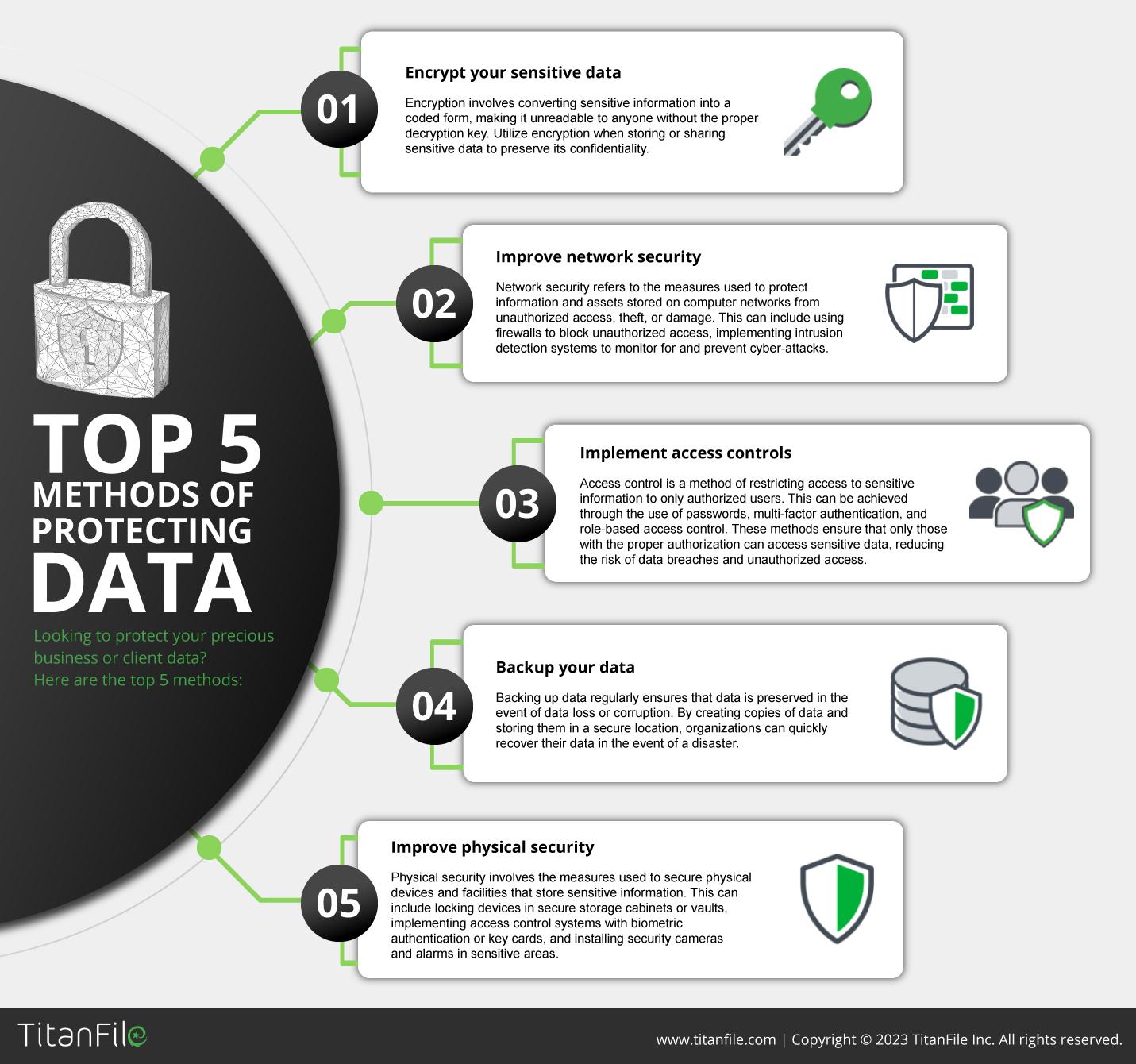
The five methods of protecting data are encryption, backup and recovery, access control, network security, and physical security. Each one defends data at a different layer. Industries apply them differently. Law firms lean on encryption and access. Healthcare adds role-based access. Accounting prioritizes backup and access control.
Why Data Protection Looks Different by Industry
Data protection is no longer optional. In 2025, more than 3,200 data breaches were publicly disclosed in the United States alone. Most came from outside attackers. The rest came from human error inside the organization. The Verizon Data Breach Investigations Report tracks the same trend year after year.
For law firms, healthcare providers, accounting firms, and government agencies, a single breach can mean lost clients, regulatory fines, and reputation damage that lasts for years. The good news is simple. The five core methods to protect data have not changed much. The way each industry applies them has.
| Industry | Top priority methods | Most common use case | Compliance anchor |
| Legal | Encryption + access control | Privileged client communications, matter-level access | ABA Model Rule 1.6 |
| Healthcare | Encryption + role-based access | PHI in transit and at rest, EHR systems | HIPAA Security Rule |
| Accounting | Backup + access control | Tax season files, client folder permissions | IRS Publication 4557 |
| Financial services | Network security + encryption | Payment data isolation, fraud monitoring | PCI DSS |
| Government | Network security + physical security | Classified systems, data residency | NIST SP 800-171 |
Below are the five methods of protecting data and how they show up in everyday work.
1. Encryption
Encryption converts data into code that no one can read without the right key. It protects information at rest, on devices, and in transit between systems. Most modern platforms use AES-256 for files at rest and TLS for files in transit. Our data in transit encryption guide breaks down the difference in plain language.
Industry use cases
Legal. Law firms encrypt privileged client communications, discovery documents, and settlement papers. Encryption is part of how firms meet their duty of confidentiality under ABA Model Rule 1.6. See why law firms need secure file sharing for the full picture.
Healthcare. Hospitals and clinics encrypt patient health information when sending lab results, imaging studies, and referrals. HIPAA does not require encryption by name. It does require that PHI is protected. Encryption is the most reliable way to do that.
Accounting. CPA firms encrypt tax returns, financial statements, and client records during tax season. Most firms also need to meet IRS Publication 4557 standards. Auditors check for encryption as a basic control.
See secure file sharing for accounting firms for how firms put this in practice.
What to watch. Encryption only works if the keys are managed properly. A lost key locks out the legitimate owner. A stolen key gives an attacker the whole file.
2. Backup and Recovery
Backup and recovery is the practice of keeping a separate copy of your data so you can restore it after loss, corruption, or attack.
Ransomware can lock every file your team owns. A bad update can corrupt a database. A user can delete the wrong folder by mistake. In any of these cases, a clean backup is what gets the business back online.
Most experts recommend the 3-2-1 method. Three copies of the data. Two different storage types. One copy offsite.
Read more in our guide on why data backup is important for your business.
Industry use cases
Legal. Law firms back up matter files, billing data, and their document management system. A matter on legal hold cannot be restored from a corrupted file. Many firms now keep a separate immutable backup just for litigation holds.
Healthcare. Clinics and hospitals back up electronic health records daily. A ransomware hit on a hospital EHR has shut down emergency rooms in real cases. Recovery time matters as much as backup frequency.
Accounting. Firms back up tax software, client folders, and engagement files. During tax season the cost of an hour of downtime is steep. Most firms now use cloud backups with automatic versioning.
What to watch. A backup is only as good as the last restore test. Many firms back up daily but have never confirmed the restore actually works. Test it once a quarter.
3. Access Control
Access control is the set of rules that decide which users and systems can view, edit, or share each piece of data.
The basics are strong passwords, multi-factor authentication, and role-based access. Modern platforms also support single sign-on and granular per-document access.
Industry use cases
Legal. Law firms set access by matter. An associate on a corporate deal does not see the family law files down the hall. When an attorney leaves, access is revoked the same day.
Healthcare. Hospitals use role-based access for PHI. Front-desk staff see scheduling. Doctors see clinical notes. Billing sees claims data. The same record looks different depending on who is signed in.
Accounting. CPA firms control client folder access by engagement. The audit team sees one set of files. The tax team sees another. Partners see both.
What to watch. Passwords are still the weakest link. Add multi-factor authentication on every account that touches sensitive data.
Our piece on the benefits of two-factor authentication walks through the why and how.
4. Network Security
Network security is the layer that protects everything moving across your network. Firewalls block traffic that should not be there. Intrusion detection systems flag patterns that look like an attack.
Zero Trust Architecture, as defined by CISA in its Zero Trust Maturity Model, assumes no device is safe by default and verifies every request.
Industry use cases
Financial services. Banks and wealth managers use segmented networks to keep payment data away from general business systems. Most also run real-time monitoring for fraud patterns.
Healthcare. Telemedicine platforms run on encrypted connections between provider and patient. Network controls keep PHI from leaking even when the device is outside the hospital network.
Government. Public sector agencies use classified networks with strict boundary controls. Data residency rules add another layer on top.
What to watch. Network security takes expertise. It is not a set-it-and-forget-it system. Threats evolve. Defenses need to keep up.
5. Physical Security
Physical security covers the hardware and the buildings that hold the data. Locked server rooms. Biometric access at data centers. Surveillance cameras. Cable locks on laptops. None of it is glamorous. All of it matters.
Industry use cases
Legal. Many firms still keep file rooms with paper records. Document destruction policies and locked storage are part of basic compliance. Off-site archives need the same controls as the main office.
Healthcare. Hospitals secure imaging machines, paper charts, and prescription pads. A stolen tablet from a nursing station can be a HIPAA breach on its own.
Accounting. Tax season hardware is a target. Locked drawers for paper returns and laptop cable locks at every desk are simple steps that work.
What to watch. Around 95% of cybersecurity breaches involve human error. A locked drawer does not help if someone leaves the key on the kitchen counter. Train staff regularly and audit physical controls twice a year.
How TitanFile Covers All 5 Methods
TitanFile is built around the same five methods of protecting data. Encryption uses AES-256 in transit and at rest. Backups run automatically across geographically separate data centers. Access control includes MFA, SSO, role-based permissions, and granular per-file access. Network security is backed by SOC 2 Type II and ISO 27001 certifications. Physical security covers the data centers where the files actually live, with biometric controls and round-the-clock monitoring.
Most teams are running on it in a day. Start a 15-day free trial or book a demo to see how it fits your workflow.
Conclusion
Data protection is not one thing. It is five things working together. Encrypt the data. Back it up. Control who sees it. Protect the network. Lock the doors. Industries apply each one differently. The framework is the same. For a broader reference, the NIST Cybersecurity Framework maps these same controls across Identify, Protect, Detect, Respond, and Recover functions. Review your controls once a year and update them as the threats evolve.
FAQs About Methods of Protecting Data
What are the 5 methods of protecting data?
The five methods are encryption, backup and recovery, access control, network security, and physical security. Each one protects data at a different layer.
Which method is most important?
All five matter. Encryption is usually the first line of defense for files in transit and at rest. Access control is the most common gap in real organizations. The right answer depends on your industry, your data, and your threat model.
How do I choose the right methods to protect data for my industry?
Start with the regulations that apply to you. HIPAA for healthcare. ABA Model Rule 1.6 for legal. IRS Publication 4557 for accounting. PCI DSS for payment data. Each one points to specific controls. Build from there.
Key Takeaways
- Five methods to protect data: encryption, backup and recovery, access control, network security, physical security.
- The right mix depends on your industry and your compliance obligations.
- AES-256 encryption and multi-factor authentication are baseline in 2026.
- Backups need quarterly restore tests to actually be useful.
- Around 95% of breaches still involve human error, so train staff regularly.